Home / Tools / Semantic Site Search Tools for Websites
ComparisonSemantic Site Search Tools for Websites
Semantic site search tools are services and engines that power the search box on a website or store, ordering content and products by meaning as well as by matching words. They crawl or sync the site’s content, index it with embeddings and keyword data, and return results with typo tolerance, filters and analytics. The options fall into three groups. Hosted search services, such as Algolia, Coveo and Google’s Vertex AI Search, run everything for you. Open-source engines with cloud offerings, such as Meilisearch and Typesense, are quick to set up and can be self-hosted. Building on a database such as Weaviate gives the most control, with your own crawler and front end. The best choice depends on content type, traffic, budget and how much ranking control you need. Compare them on your own site’s real queries rather than demo data.
Semantic site search tools in four facts
- Semantic site search ranks pages by meaning, so a visitor’s wording does not have to match the page’s wording.
- Most site search tools now combine keyword and vector ranking, because product names and codes still need exact matching.
- Hosted tools run crawling, indexing, querying and analytics; a database such as Weaviate runs indexing and querying only.
- Queries that return no results or no clicks are the most useful signal for improving site search.
What is semantic site search?
Semantic site search is the search box on a website or app that understands what visitors mean, returning relevant pages even when their words differ from the page’s text. It replaces or extends keyword-only site search.
A visitor who types “how do I cancel” on a software site should find the page titled “Ending your subscription”. Keyword search misses it unless someone added synonyms; semantic search finds it because the embeddings of the two phrases are close. On a store, “warm jacket for hiking” should surface insulated outdoor jackets even if no product says those exact words. Semantic site search covers the use case in depth.
Site search has its own demands. Queries are short, often one to three words, and frequently misspelled. Product names, SKUs and brand terms must match exactly. Results need facets, sorting and fast autocomplete. Good tools therefore combine semantic ranking with keyword matching, typo tolerance and merchandising controls. Every tool runs the same four stages.
How does semantic site search work?
Semantic site search works in four stages: crawling or syncing site content, indexing it with embeddings and metadata, answering queries with hybrid ranking, and recording analytics to improve results. Tools differ in which stages they run for you.
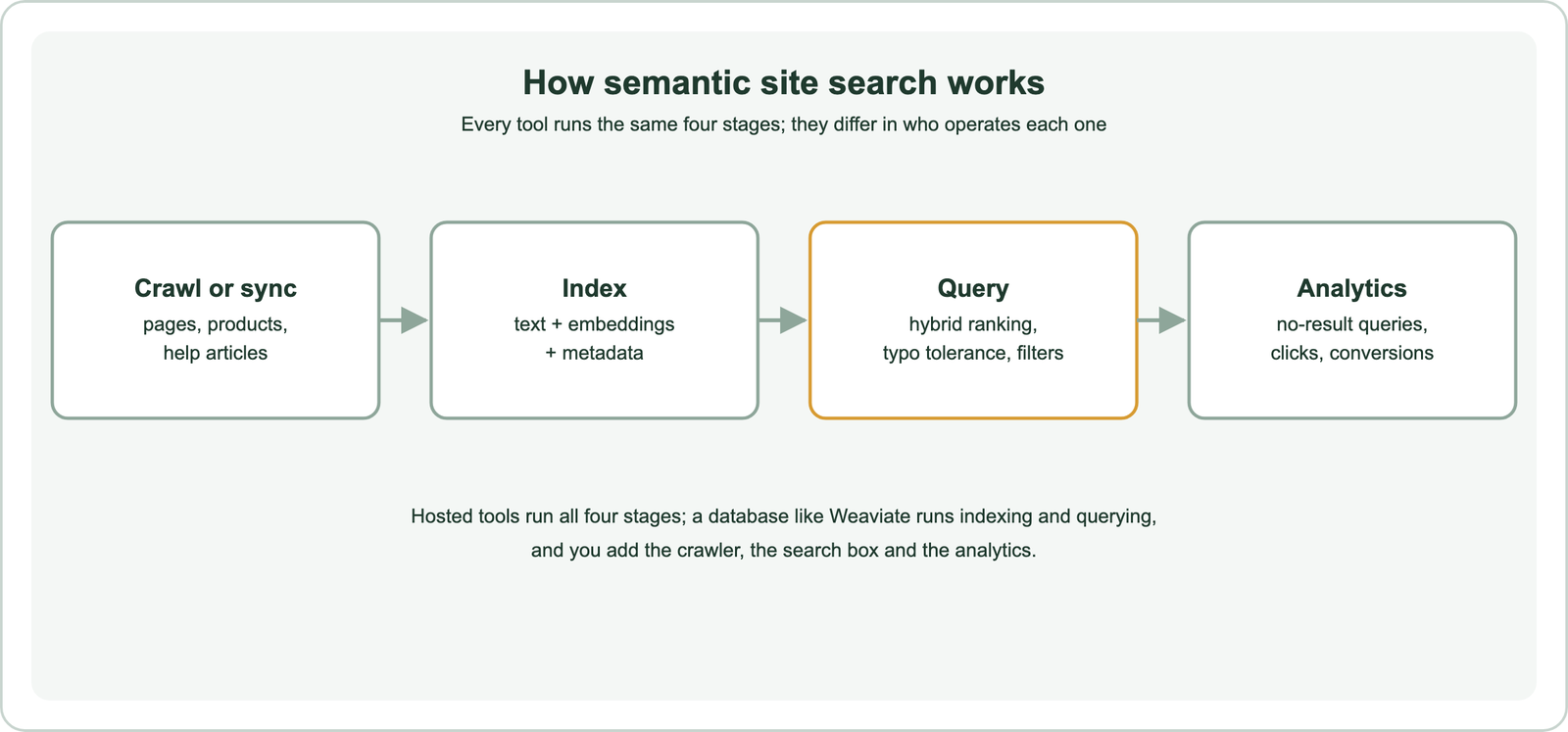
Crawling reads public pages; syncing pushes content from a CMS or product feed through an API, which is fresher and more structured. Indexing stores text, an embedding for each page or chunk, and fields such as category, price and language for filters. Querying runs keyword and vector search and fuses them, the pattern described in how hybrid search works.
Analytics close the loop. Queries with no results show missing content or vocabulary; queries with results but no clicks show ranking problems. Hosted tools usually include dashboards for this; with a database you log queries yourself. The three groups of tools split these stages differently.
What are the options for semantic site search?
The options for semantic site search are hosted search services, open-source search engines with cloud versions, and building on a vector database. They trade setup effort against control.
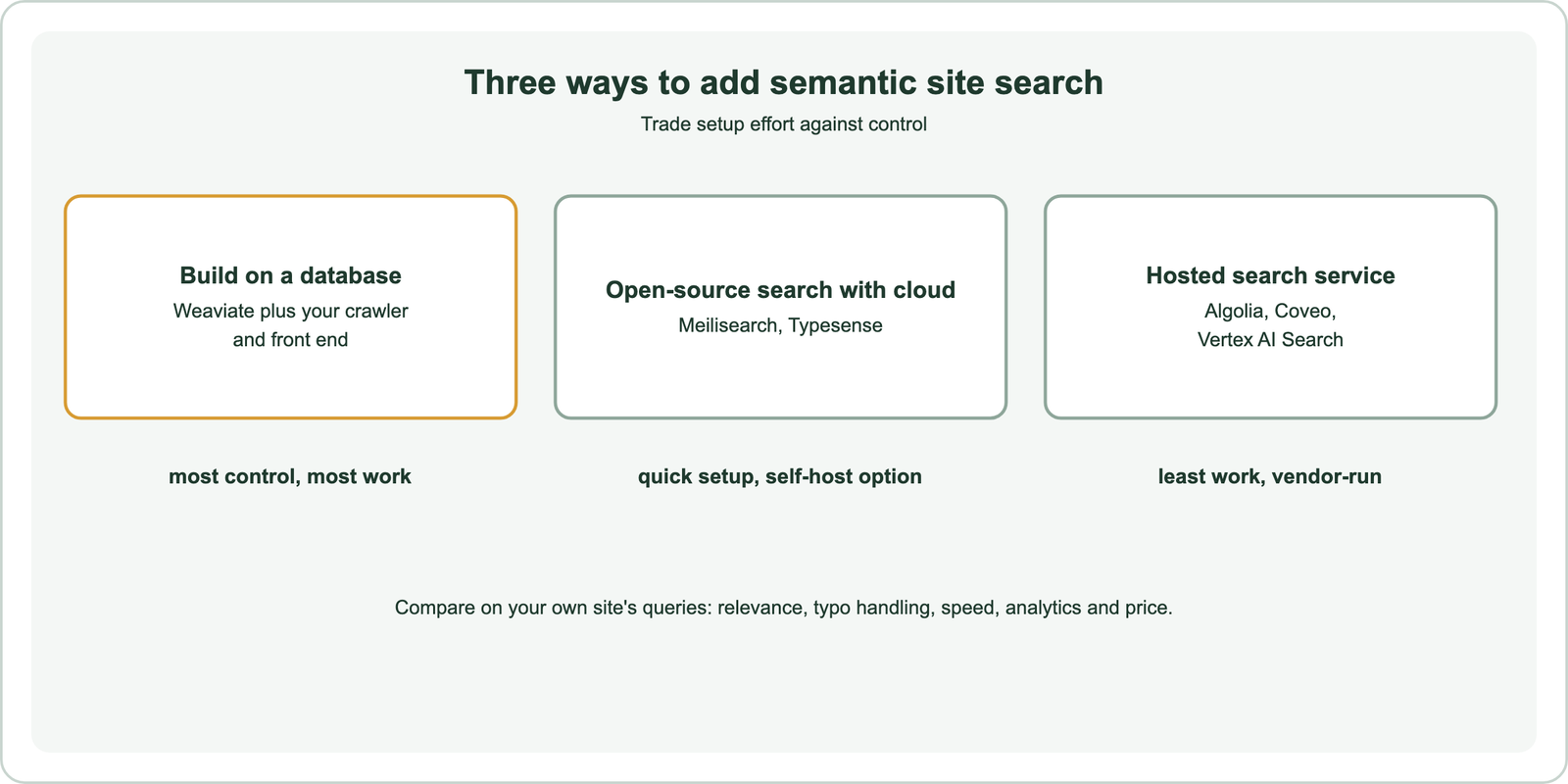
Hosted services run everything, including crawlers, widgets and dashboards, and charge by usage. Open-source engines with cloud offerings give a fast developer experience and can move in-house later. Building on a database means writing the crawler, the search interface and the analytics, but keeps full control over ranking, models and data. The trade-offs are covered group by group.
For most small and medium sites, a hosted service or an open-source engine’s cloud is the fastest route to good results. Building on a database pays off when search is central to the product, when content needs custom processing, or when the same index also feeds an AI assistant. Building is the first option to look at in detail.
When should you build site search on a vector database?
You should build site search on a vector database when you need custom ranking, your own embedding models, data control, or one index that also serves AI features such as a support assistant. The cost is building the parts hosted tools include.
Weaviate provides the search core: hybrid queries that fuse BM25F and vector results with a tunable alpha, filters for facets, model integrations that embed content at import, reranker modules, and generative queries for answer features. You add a crawler or CMS sync, a search interface with autocomplete, and query logging. The same collection can then power a help-centre assistant using retrieval-augmented generation, as described in customer support and help center search.
This route suits product teams with engineering capacity and search as a differentiator. It also suits sites whose content needs special handling, such as long documentation that must be chunked or multilingual catalogues. How to build semantic search walks through the build. The open-source engines offer a middle path.
Which open-source engines are suited to site search?
Open-source engines that are suited to site search include Meilisearch and Typesense, which focus on fast, typo-tolerant search for websites and apps and add hybrid semantic ranking. Both offer managed cloud versions.
Meilisearch offers hybrid search with a semantic ratio that blends keyword and vector results, and its community edition is MIT licensed. Typesense supports vector and hybrid search alongside its typo-tolerant keyword engine. Both are designed for instant search-as-you-type, with simple APIs and front-end libraries, which makes them quick to deploy on a content site or store.
They are narrower than general vector databases: built for site and app search rather than large-scale AI retrieval, multi-tenancy or complex filtering. For many websites that focus is a strength. Open-source semantic search engines compares them with the wider field. Hosted services remove even the setup.
Which hosted tools support semantic site search?
Hosted tools that support semantic site search include Algolia, Coveo and Google’s Vertex AI Search, which provide crawling or indexing, hybrid ranking, front-end components and analytics as a service. They charge by usage and run everything.
Algolia, long known for fast keyword site search, added NeuralSearch, which combines keyword and vector retrieval. Coveo targets enterprise, commerce and support search with AI relevance and personalisation. Google’s Vertex AI Search can index a website and serve search results, and is part of Google Cloud. Commerce-focused tools add merchandising rules, such as pinning products or boosting margins, alongside semantic ranking.
Hosted tools win on speed to launch and built-in analytics. Their limits are cost at high traffic, less control over ranking internals, and data stored with the vendor. Pricing models and features change often, so compare current plans on your expected query volume. Enterprise semantic search platforms covers the larger products, and semantic search APIs covers API-only services. Choosing among all these needs a test.
Which features does a semantic site search tool need most?
The features a semantic site search tool needs most are hybrid relevance, typo tolerance, instant autocomplete, facets and filters, merchandising controls and search analytics. Semantic ranking is one feature among several.
Hybrid relevance keeps exact product names and codes at the top while semantic ranking handles loose phrasing. Typo tolerance matters because short site queries are often misspelled, covered in typo tolerance and spelling correction. Autocomplete must respond as visitors type, which puts a tight limit on latency. Facets let visitors narrow by category, price or date, so the tool needs fast filtered search.
Merchandising controls let a store pin, boost or bury items regardless of relevance, and analytics show which queries fail. Multilingual sites also need per-language analysis. Score each candidate on the features your site actually uses, not on the full list. A blog needs relevance and typo handling; a store needs facets and merchandising too.
How do you choose a semantic site search tool?
You choose a semantic site search tool by testing two or three candidates on your site’s real queries and comparing relevance, typo handling, speed, analytics, control and total cost. Demo data hides the differences that matter.
Export a few hundred real queries from your current search logs or analytics, including misspellings and product codes. Index a copy of your content in each candidate and record whether the right page appears in the top three. Check autocomplete speed on a mobile connection, how facets work, and whether no-result queries are easy to find. How to evaluate semantic search describes building the test set.
Then weigh the operational fit. A small content site rarely needs custom ranking; a large store may need merchandising controls; a SaaS product with a help centre may want one index for search and an assistant. Semantic search tools compared places site search among the other tool categories.
Semantic site search tools rank a website’s pages and products by meaning as well as words, so visitors find answers in their own wording. They all crawl or sync content, index it with embeddings, answer queries with hybrid ranking and track analytics. Building on Weaviate gives full control and one index for search and AI features. Open-source engines such as Meilisearch and Typesense are quick to deploy and can be self-hosted, while hosted services such as Algolia, Coveo and Vertex AI Search run everything. Test the candidates on your own queries before choosing.