Home / Filtering / Permission-Aware Semantic Search With ACLs
ExplainerPermission-Aware Semantic Search With ACLs
Permission-aware semantic search returns only the documents each user is allowed to see, by attaching access rules to every document and enforcing them as filters at query time. Each indexed document or chunk stores who may read it, usually as a list of allowed users or groups copied from the source system’s access control list (ACL). When a user searches, the application takes their identity and groups from the authenticated session and adds a filter. A typical one requires that allowed_groups contains any of the user’s groups. The vector or hybrid search then ranks only permitted documents. Filtering inside the search, rather than after it, prevents leaks through result counts, snippets, caches and AI-generated answers. Database roles, such as Weaviate’s role-based access control, which scopes access to collections and tenants, add an outer layer. Document-level rules still need query-time filters.
Permission-aware search in four facts
- Each document or chunk stores its access list, usually allowed users and groups from the source system.
- Queries add a filter built from the user’s identity, taken from the authenticated session.
- Weaviate’s RBAC scopes data permissions to collections and tenants; per-document rules use filters.
- In RAG, an unfiltered retrieval step can leak restricted text into a generated answer.
What is permission-aware semantic search?
Permission-aware semantic search is semantic search that respects the access rights of the person searching, so restricted documents never appear in their results or in answers generated from them. It is required wherever documents have different audiences.
Inside a company, the same search box may serve staff who can see different things: HR files, board papers, customer contracts, project folders. The source systems, such as document stores, wikis and ticketing tools, already know who may read what. Semantic search must carry those rules into its index, or it becomes a way around them. Searching by meaning makes this more pressing, because a vague question can surface a restricted document that keyword search would have missed.
The same need appears in products that serve many customers, covered in multi-tenant semantic search, and in internal search across many tools, covered in enterprise document search. Tenant isolation separates customers; permission-aware search separates people and groups within a customer.
Which layers of access control does AI search need?
AI search needs access control at three layers: database roles that limit which services reach which data, tenant isolation that separates customers, and document-level filters that separate users within a tenant. Each stops a different mistake.
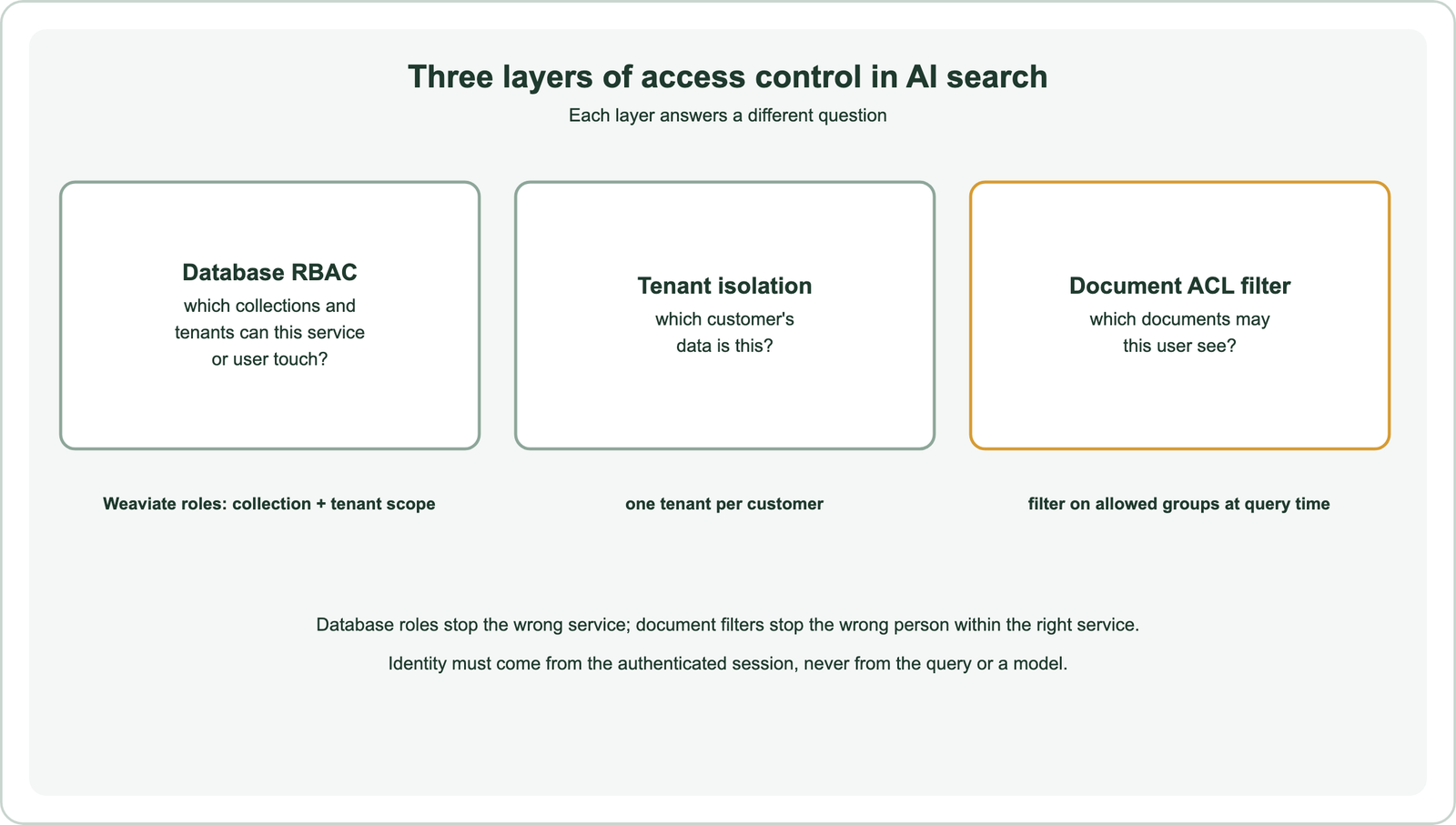
Weaviate’s role-based access control defines roles with permissions on collections, tenants and data, and assigns them to users or to OIDC groups. Its data permissions can be scoped by collection name and tenant name, including wildcard patterns, so a role might read only one customer’s tenant. That is strong protection at the service and tenant level. It does not, on its own, decide which individual documents within a collection each end user may see.
Per-document rules therefore live in the data and are applied as filters. The application authenticates the user, looks up their groups, and passes a filter with every query. Database credentials for the search service stay narrow, so a bug in the application cannot reach other collections.
How do you store permissions with documents?
You store permissions with documents by adding properties that list the users and groups allowed to read each document or chunk, copied from the source system when the document is indexed. Every chunk inherits its parent’s list.
A common schema has an allowed_groups property as a text array, optionally with allowed_users for individual grants and a visibility flag for public documents. Groups are preferable to individual users: a company might have thousands of users but far fewer groups, which keeps lists short and updates rare. Use field tokenization so group IDs match exactly, as covered in metadata filtering.
Copy permissions at the finest level the source supports. If a folder grants access but one file inside is restricted, the file’s chunks need the restricted list. If the source system has deny rules, model them explicitly, for example with a denied_groups property and a must-not condition, rather than hoping they never matter.
How do you enforce permissions at query time?
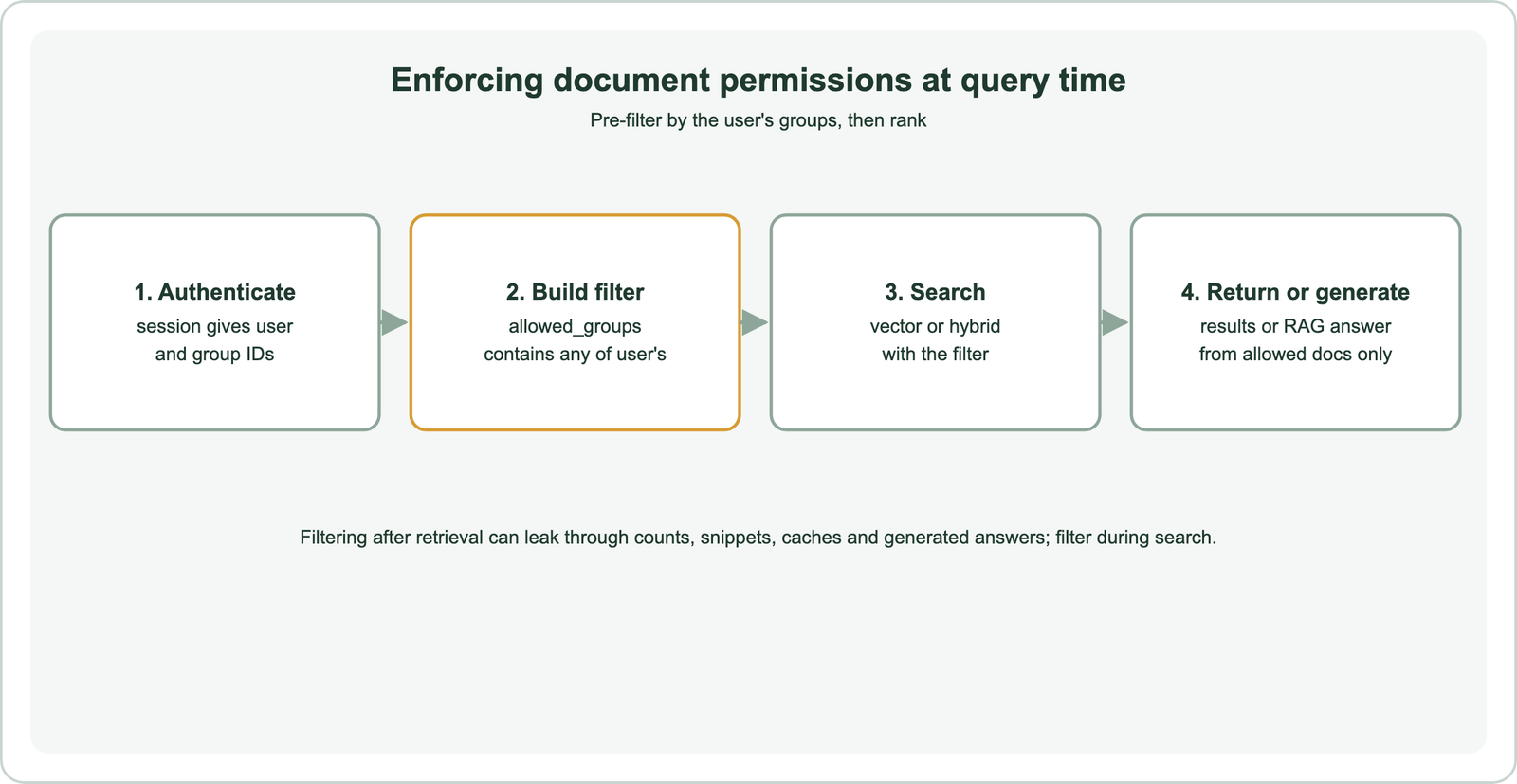
You enforce permissions at query time by building a filter from the authenticated user’s groups and passing it with every search, so ranking happens only over documents the user may read. The filter must never be optional.
from weaviate.classes.query import Filter

def secure_search(collection, query, user):
    groups = user.groups                      # from the authenticated session, not the request body
    acl = Filter.by_property("allowed_groups").contains_any(groups) | \
          Filter.by_property("visibility").equal("public")
    return collection.query.hybrid(query=query, filters=acl, limit=10)
Put this in one shared function that every search path calls, including APIs, chat assistants and agents, so no route forgets the filter. Weaviate applies filters during the vector search, so the top results are drawn only from permitted documents and a filtered query still returns a full page when enough matches exist. Pre-filtering vs post-filtering explains why that matters, and filtered ANN search covers how it stays fast.
Where can permission-aware search leak data?
Permission-aware search can leak data through post-filtering, result counts and facets, snippets, shared caches, stale permissions and generated answers that quote restricted text. Each needs an explicit check.
Filtering results after retrieval can reveal that restricted documents exist, through counts or empty pages, and can drop relevant permitted results. Facet counts must be computed with the same filter, or they reveal how many restricted documents match a topic. A semantic cache shared across users can return an answer built from someone else’s documents; key caches by permission scope, as covered in what is semantic caching. Stale permissions are common: when access is revoked in the source, the index must update quickly.
In RAG and agent systems, the language model sees whatever retrieval returns. If retrieval is not filtered, restricted text can appear in an answer even though no restricted document is listed. Agents that call search tools must pass the user’s identity to every call, and the identity must never be a parameter the model can set. These risks are why permission checks belong in the retrieval layer, not in the prompt.
How do you personalise RAG with user profiles and permissions?
You personalise RAG with profiles and permissions by applying permissions as hard filters and using profile data, such as role, team or region, as soft ranking signals or query context. Permissions restrict; profiles prioritise.
A user’s permissions decide which documents are eligible. Their profile can then shape relevance: boosting documents from their department, preferring their region’s policies, or adding their role to the query so the model answers at the right level. Keep the two separate in code. A profile preference must never widen access, and a missing profile field must never remove the permission filter.
Profile signals fit naturally as boosts or rewritten queries, as covered in searching vs filtering. Log which filter and which profile signals were used for each answer, so audits can show why a user saw what they saw. Faceted semantic search covers the user-facing side of filters.
How do you keep permissions in sync with the source?
You keep permissions in sync by updating the index whenever access changes in the source system, either from change events or from regular reconciliation jobs, and by treating revocations as urgent. Stale grants are a common and easily missed leak.
Many document systems emit events when sharing settings change. Listen for them and update the affected chunks’ allowed groups without re-embedding, since the text has not changed. Where events are unavailable, run a job that compares the source’s ACLs with the index and fixes differences. Group membership changes are handled outside the index: because queries use the user’s current groups from the session, adding or removing someone from a group takes effect immediately.
Test the whole path. Revoke a test user’s access in the source and confirm the document disappears from their results within the expected time. Record the delay as an operational metric, and alert when it grows beyond what your security team accepts.
How do permission filters perform at scale?
Permission filters perform well at scale when group lists are short and indexed. Very restrictive filters, such as a user who can see a tiny share of a large collection, need a database that handles selective filters efficiently. Measure with real permission patterns.
Most users can see a reasonable share of documents, and filtering costs little. Users with narrow access, such as contractors limited to one project, create very selective filters. Graph-based vector search can slow down or lose recall with such filters, which databases handle with strategies such as switching to a flat scan of the allowed set. Filter selectivity and bitmap filters explain the mechanics, and vector databases with metadata filtering compares products.
When one group’s data dwarfs the rest, or isolation must be absolute, a separate tenant or collection may be simpler and faster than a filter. Test both designs with realistic users before choosing, including the narrowest and broadest access profiles, and compare recall and latency for each.
Permission-aware semantic search stores each document’s access list, usually allowed groups from the source system, and adds a filter built from the authenticated user’s identity to every query. Database roles, such as Weaviate’s RBAC scoped to collections and tenants, limit what each service can reach. Tenant isolation separates customers, and document filters separate users. Filter during search, not after, and apply the same rule to counts, facets, caches and RAG retrieval. Never let a query or a language model supply the identity. Keep permissions fresh, and test performance with narrow-access users.